
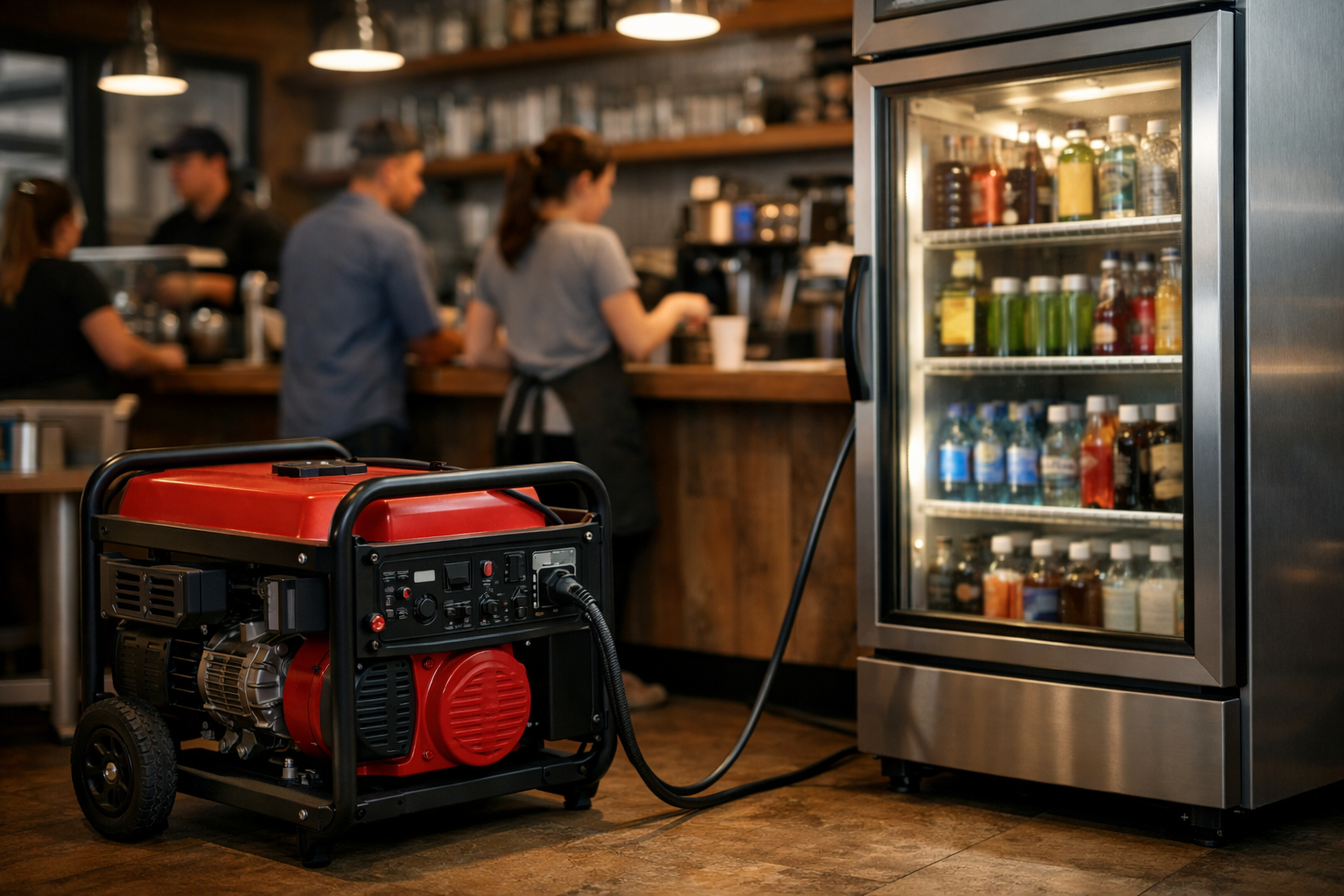
A single afternoon thunderstorm can knock out power to your building for six hours or more. For a restaurant, that means spoiled inventory. For a dental office, it means canceled appointments and lost revenue.
Business power outage preparation is the set of steps that keep your operations moving when the grid fails during summer storms. This post covers what to stock, how to protect data and inventory, and how to keep serving customers when the lights go out.
The focus here is operational continuity, not just survival. Staying open, even at reduced capacity, is what separates prepared businesses from the ones that lose a week of income.
Why Summer Storms Hit Businesses Harder
Summer outages differ from winter ones in a specific way: heat. When the power drops in July, refrigeration stops and indoor temperatures climb fast.
A walk-in cooler holds safe temperatures for roughly four hours if you keep the door shut. After that, you face inventory loss and health code risk.
Summer storms also arrive with less warning than winter systems. Pop-up thunderstorms and derechos can form in under an hour, leaving little time to react. Strong summer storm readiness means your plan is already in place before the sky darkens.
The Real Cost of a Half-Day Outage
Consider a mid-sized cafe with $4,000 in refrigerated stock. A four-hour outage during lunch service can cost the owner that inventory plus $1,200 in lost sales.
A physical therapy clinic loses billable hours it cannot recover. Each empty appointment slot is revenue that never returns. This is why the goal is keeping the doors open, not waiting for the utility truck.
Business Power Outage Preparation: The Core Checklist
Business power outage preparation begins with knowing which parts of your operation cannot stop. Map your critical loads first, then match backup power to them.
- List your must-run equipment. Refrigeration, point-of-sale systems, medical devices, and security cameras usually top the list.
- Calculate the wattage each item draws. Add a 25% buffer for startup surges on motors and compressors.
- Size your generator to that total. A 7,500-watt portable unit runs a small retail store; a restaurant with walk-ins may need 15,000 watts or more.
- Store fuel safely. Keep 24 hours of gasoline or propane on hand, rotated every few months.
- Test everything monthly. A generator that has not run since last year will fail when you need it.
Write this plan down and post it where staff can find it. During an outage, no one should be searching for instructions.
Portable vs. Standby Generators
A portable generator costs $500 to $2,000 and powers a few circuits at a time. You roll it out, connect it manually, and refuel it yourself.
A standby generator wires directly into your building and starts automatically within seconds. Units run $5,000 to $15,000 installed, but they remove the human delay entirely.
- Choose portable if outages are rare and you can spare 15 minutes to set up.
- Choose standby if you run medical equipment, servers, or refrigeration that cannot pause.
Protecting Inventory and Perishables
Refrigerated inventory is the first casualty of a summer outage. Protect it with layered defenses instead of relying on backup power alone.
Keep freezer units at least three-quarters full. A packed freezer holds cold far longer than an empty one because frozen mass acts as its own coolant.
Place a wireless temperature sensor in each cooler. Models that text your phone let you act the moment temperatures cross the safe threshold of 40°F.
The Two-Hour Decision Point
Track the two-hour mark closely. Food held above 40°F for more than two hours must be discarded under most health codes.
Have dry ice sources identified in advance. Twenty pounds of dry ice keeps a full freezer cold for roughly two days if you avoid opening the door.
Keeping Data and Payments Running
An uninterruptible power supply (UPS) is a battery that keeps devices running for minutes to hours after power drops. Every register, server, and router needs one.
A basic UPS gives your point-of-sale system 10 to 30 minutes of runtime. That window lets you finish transactions and shut down hardware without corrupting files.
- Put a UPS on your payment terminals so you can still take card payments briefly.
- Keep a mobile card reader charged as a backup that runs on cellular data.
- Store a cash float for the moments when all electronic payment fails.
Back up critical data to the cloud, not just local drives. If your building loses power for days, remote work depends on data you can reach from anywhere.
Staffing and Communication During an Outage
Your team needs a clear chain of action when the lights go out. Assign one person to check generators and another to handle customer communication.
Set up a group text or messaging channel that works on cellular data. Wi-Fi dies with the power, but phones stay connected to the mobile network.
Telling Customers You Are Still Open
Post an outage update to your social media the moment you know your status. A cafe that tweets “Still serving cold drinks and pastries” keeps foot traffic alive.
Update your voicemail greeting if phones run on backup. Customers who cannot reach you assume you are closed and take their business elsewhere.
When Storm Damage Follows the Outage
Summer storms bring more than blackouts. Wind-driven rain, roof leaks, and flooding frequently arrive with the same system that cut your power.
Water that sits during a multi-day outage breeds mold within 24 to 48 hours. Standing water plus summer heat accelerates the growth dramatically.
Know your restoration contacts before you need them. Waiting until after the storm means competing with every other business calling the same providers.
Finding Help Fast on Restoration Locator
Restoration Locator lets you find water damage and storm cleanup providers before disaster strikes. Build your contact list now, not during the crisis.
- Sort by location to find crews that can reach your building quickly.
- Filter listings by service type such as water extraction or mold remediation.
- Check reviews to confirm a provider handles commercial jobs at your scale.
Save two or three qualified providers in your phone as part of your outage plan. Response speed matters most in the first hours after damage occurs.
A Simple 30-Day Readiness Plan
You do not need to do everything at once. Spread summer storm readiness tasks across a month to make them manageable.
- Week 1: List critical equipment and calculate power needs.
- Week 2: Buy or service your generator and UPS units.
- Week 3: Install temperature sensors and write your outage plan.
- Week 4: Train staff and save restoration contacts on Restoration Locator.
Review the plan at the start of each storm season. Equipment ages, staff turns over, and phone numbers change.
Conclusion
Business power outage preparation keeps your operation running when summer storms take down the grid. The businesses that stay open protect their inventory, their data, and their customer relationships in one move.
Map your critical loads, size your backup power, and line up storm restoration help before you need it. Browse Disaster Cleanup & Restoration listings on Restoration Locator and build your contact list today.